LEGO® DUPLO® Disney
- 4.3
- Rating
- 10.00M
- Installs
- Free
- Price
 Analysis by App-foxy
Choosing a learning app for a young child is rarely just about whether it looks cheerful. I want to know what my child can actually do inside it, whether the activities feel purposeful after the first few minutes, and whether the experience works for the family’s everyday routine. LEGO® DUPLO® Disney is aimed at that early-learning space, combining familiar Disney characters with the playful building world associated with DUPLO. After spending time with it, I see it as a gentle, character-led option for preschool-aged children who respond better to stories and visual play than to formal lessons.
The app is free to install, which makes it easy to try without committing immediately. It includes optional in-app purchases ranging from $4.99 to $39.99 per item, so I would still explore the available content with a parent present before handing over a device. StoryToys is the developer, and the app sits in the Education category rather than presenting itself as a conventional construction game. That distinction matters: the building theme is the invitation, while the real purpose is guided learning through play.
What I would look at before choosing it
Before deciding, I’d consider how your child handles guided activities and whether you’re comfortable managing optional purchases. I’d also think about the role you want the app to play: a brief shared activity, a way to bridge screen play and real building, or a more independent distraction. Those expectations make it easier to judge the fit; next, it helps to look at the situations where this style of play can shine.
You May Also Like

 Blood Strike: 2.5 Anniversary
Blood Strike’s Loadouts Turn Every Drop Into a Tactical Gamble
A close look at Blood Strike’s custom loadouts: how fast access to signature weapons reshapes its battle royale rhythm, rewards preparation, and narrows the gap between fights.

 Pandora - Music & Podcasts
Pandora’s Music Is Easy to Start, but Harder to Recover
Pandora’s strength is its low-effort path from a seed to a station. Its weak spot is how much confidence it asks you to place in connection, setup, and quiet recovery.

 8 Ball Pool
 Is Built on Rivalries, Rematches, and Routine
A close look at the rivalries, rematches, shared routines, and unanswered safety questions that turn a quick pool match into a persistent mobile community.

 Samsung Music
’s Quiet Strength Is Playing What You Already Own
Its reach comes less from spectacle than from dependable access to a personal library. That simplicity is both the app’s strongest retention engine and its ceiling.

 AccuWeather: Weather Radar
AccuWeather Review: A Quick, Clear Forecast for Everyday Decisions
For everyday plans, the best forecast is the one you can understand quickly. AccuWeather makes rain timing, radar, and local conditions easy to act on, with a few trade-offs.

 Hill Climb Racing
Why Hill Climb Racing Still Turns Crashes Into One More Run
A tiny car, a bumpy hill and one more upgrade: Hill Climb Racing keeps resurfacing because its simple chaos makes every near-miss feel personal.
More From Our News Desk



Start with the child, not the character list
The strongest reason to consider this app is not simply the Disney branding. It is the way recognizable characters can lower the barrier to participation. A child who ignores worksheets may be willing to follow a familiar character through a small activity, make a choice, or repeat a simple task. I found that this kind of emotional entry point can make practice feel less like correction and more like play.
That said, the right question is whether your child enjoys guided digital play. Some children like being shown what to do and then experimenting within a safe structure. Others want an open-ended building experience with no prompts at all. LEGO® DUPLO® Disney is better suited to the first group. It gives the child a direction to follow, rather than functioning as a blank digital box of bricks.
Think about the learning moment you need
I would choose it for short, focused sessions: a quiet activity before dinner, a transition while travelling, or a few minutes of independent play while an adult is nearby. It is not the kind of app I would use as a replacement for hands-on toys, shared reading, drawing, or real conversations. Its value comes from adding another way to practise attention, recognition, sequencing, and simple decision-making.
A useful test is to watch what happens after the novelty fades. Does the child begin making choices without constant adult help? Do they repeat an activity because they understand it, or only because the animation is entertaining? I would use those observations to decide whether the app is supporting learning or merely filling time. With early-childhood software, that difference is more important than a polished first impression.
Check the practical fit before installing
The app is rated Everyone and requires Android 6.0 or later. It has passed the scale test of a widely used children’s app, with over 10 million installs and an average rating of 4.0 from around 12 thousand ratings. Those figures suggest that many families find the concept approachable, but they do not tell me whether it will suit one particular child. Temperament, reading ability, attention span, and tolerance for guided activities still matter more.
I would also check the device in advance, especially if a child uses an older phone or tablet. The current version is 17.0.0, and keeping an app updated can affect storage, compatibility, and the way a family manages downloads. I would install it myself first, look through the opening experience, and decide which parts are suitable before introducing it to a child.
Make the purchase decision deliberately
The free starting point is helpful, but the presence of optional purchases changes how I would use the app. I would not let a young child explore the purchase flow alone. Instead, I would treat the free content as a trial and ask three practical questions: Is the child returning voluntarily? Are the activities varied enough for repeated use? Does the learning style match what we want at home?
The individual purchase range is broad, from $4.99 to $39.99 per item. Because of that spread, I would avoid buying the largest option simply because the characters are appealing. A smaller addition may be enough if the app becomes an occasional activity, while a larger purchase only makes sense when the child is using the experience regularly and the content clearly earns a place in the routine.
Where the experience works especially well
I find the experience most useful when a familiar character helps a child settle into a small task and gives an adult an opening for conversation. A short session can become more meaningful if you ask the child to explain a choice, then carry the idea into blocks or a story together. That kind of shared use is a good lens for seeing where the app’s particular combination of building imagery and learning has an advantage.
It turns recognition into a useful starting point
Familiar characters can do real educational work when they help a child focus. In my experience, a recognizable visual world gives the child a reason to stay with an instruction long enough to understand it. That is especially useful for children who are still developing the patience to follow a sequence of actions.
The DUPLO identity also makes the app feel more grounded than a purely animated lesson. The idea of assembling, arranging, and exploring objects is easier for many young children to connect with because it resembles play they already understand. Even when the activity is on a screen, the building theme can encourage talk about shape, order, colour, position, and what might happen next.
It is approachable for shared play
I would not assume that educational screen time has to be solitary. This app works better when an adult occasionally joins in with a simple prompt: “Why did you choose that piece?” “What should come next?” or “Can you tell me what changed?” Those questions turn a tap-based activity into a short conversation, which is where much of the learning value can appear.
A realistic use case would be a child waiting while a parent prepares a meal. The child can complete a brief activity, while the parent checks in between tasks and asks the child to explain a choice. That is more useful than leaving the app running unattended for a long period. The app supplies the visual situation; the adult supplies language, encouragement, and context.
It can support children who dislike traditional lessons
Some educational apps lead with letters, numbers, or direct quizzes. That approach is effective for children who enjoy clear right-or-wrong challenges, but it can feel demanding to a child who is still building confidence. This title takes a softer route through characters, play, and construction imagery. I think that makes it a better first step for a child who needs motivation before instruction.
There is also value in repetition without making the child feel as though they are drilling the same worksheet. A child can revisit familiar types of activity while still feeling that the setting is playful. Parents should still watch for signs of boredom, but the theme gives repetition a more inviting surface than many basic practice apps.
It has a clearer identity than many general children’s apps
In a crowded category, a focused theme is an advantage. LEGO® DUPLO® Disney is not trying to be every kind of learning tool at once. Its appeal comes from the combination of early education, construction-inspired play, and Disney characters. That makes it easier for a parent to predict whether a child might enjoy it.
The app also benefits from being recognisable without requiring a long explanation. A child may understand the tone and visual language quickly, while a parent can explain the activity in everyday terms. For families already using DUPLO toys or Disney stories together, that continuity may help the digital experience feel like an extension of play rather than an unrelated product.
Three ways I would get more value from it
- Use it as a conversation prompt: pause after a choice and ask the child to describe what they see or predict what will happen. This adds language practice that the screen cannot provide by itself.
- Keep sessions tied to a purpose: use it during a short waiting period or as a calm transition, rather than making it the automatic answer whenever the child is restless.
- Connect digital play with physical building: after an activity, invite the child to recreate an idea with real DUPLO bricks, blocks, paper, or household objects. The comparison reveals whether the app is encouraging imagination or only button-following.
These approaches also help a parent notice a less obvious trade-off. The app may be most valuable when it leads away from the screen into talk and physical play. If a child only watches animations and waits for the next prompt, the experience is probably not being used to its full potential.
Where I noticed friction
The character-led presentation can be a strength, but it can also dominate the learning purpose. A child may remember the character or scene more clearly than the skill being practised. I would therefore avoid judging success by excitement alone. A lively response is encouraging, but I would look for understanding, independent choices, and the ability to explain what the child has done.
The purchase structure is another point of friction. Free installation is convenient, yet families need to manage expectations carefully if some content sits behind separate purchases. A child who assumes every visible option is immediately available may become frustrated. I would set that boundary before the first session instead of explaining it after a locked area appears.
There is also a limit to what a guided app can offer. It cannot fully replace the sensory feedback of handling bricks, the social learning of playing with another child, or the flexibility of an adult adapting an activity on the spot. For that reason, I see it as a supplement, not as the centre of an early-learning plan.
When another kind of app may fit better
If your priority is open-ended invention, focused academic practice, or a quieter screen experience, I’d compare this with options designed specifically for those needs. The best alternative depends on what your child is seeking: freedom to create, a clearly defined lesson, or less character-led stimulation. Thinking about that distinction can prevent a familiar brand from being mistaken for the right learning format.
Choose a more direct learning tool for explicit practice
If your main goal is structured practice in a particular academic area, a dedicated literacy, numeracy, phonics, or handwriting app may be a better match. Those alternatives usually make the target skill more obvious. LEGO® DUPLO® Disney is more appealing when motivation, imagination, and guided exploration are the priority.
I would especially look elsewhere if a child needs a carefully progressive sequence with clear evidence of mastery. A character-based activity can introduce useful ideas, but parents who want detailed lesson control may prefer a specialised educational tool. That is not a flaw in this app; it is simply a difference in purpose.
Choose open-ended play for builders who resist instructions
A child who loves making unusual structures and inventing stories may prefer physical DUPLO bricks or an open-ended digital sandbox. In that situation, prompts can feel restrictive. The child may be more engaged when there is no expected answer and no need to follow a particular order.
I would also choose open-ended play when the adult wants to encourage sustained imaginative storytelling. A guided app can provide a useful starting point, but real bricks offer more freedom to change the plan, combine unrelated ideas, and build collaboratively on a shared surface.
Choose a story-first app for children who want narration
Some children are drawn primarily to listening. They want a story to unfold, characters to speak, and pictures to support comprehension. If that is the main need, a storybook app may offer a more satisfying experience than a construction-themed educational activity. The Disney connection may attract those children initially, but attraction alone does not guarantee that the interaction style will hold them.
Choose a non-branded option when simplicity matters most
Brand recognition can help a child engage, but it can also add visual stimulation and make the experience feel like a larger entertainment world. Families looking for a quieter, less character-driven interface may prefer a minimalist learning app. That type of alternative can make the instructional goal easier to see, particularly for children who become distracted by animation or familiar personalities.
Understand the cost of changing direction
Switching from this app to another category is not only about money. A child may already understand the visual language here, so moving to a more formal app can require a new adjustment period. On the other hand, staying with a familiar theme for too long can limit progress if the child needs more direct instruction or greater creative freedom.
That is why I would make the decision based on the child’s behaviour rather than the brand. If the child begins transferring ideas into physical building, explaining choices, and returning with a clear purpose, the app is earning its place. If the child only asks for the characters and skips every meaningful interaction, a different format may produce better results.
My recommendation for families deciding today
I recommend trying LEGO® DUPLO® Disney when you want a friendly introduction to educational screen time and your child is motivated by Disney, building, or guided visual play. The app is particularly suitable for short sessions shared with an adult, where the activity becomes a springboard for questions, storytelling, and hands-on construction.
I would not make it the only learning app in the home, and I would not purchase additional content before seeing how the free experience fits your child. The broad in-app purchase range makes a cautious trial sensible. Let the child’s repeated behaviour guide the decision: enjoyment matters, but curiosity, explanation, and independent problem-solving matter more.
For me, the best way to use it is as a bridge between familiar characters and real-world learning. I would offer it during a specific moment, stay close enough to talk, and follow the session with a physical activity or a short story. Used that way, it feels more thoughtful than simply handing over a screen.
My final view is positive but measured. StoryToys has created an approachable education app with a strong identity, and its free entry point makes exploration easy. Its limitations are equally clear: guided digital play cannot replace open-ended building or a specialised lesson tool, and optional purchases require adult supervision. If those boundaries suit your family, this is a worthwhile choice for playful, character-led learning rather than a complete early-education solution.
FAQs for LEGO® DUPLO® Disney
01What age group is LEGO® DUPLO® Disney suitable for?
LEGO® DUPLO® Disney is designed primarily for young children aged 2 to 5 years. The app offers a safe and engaging environment where kids can interact with their favorite Disney characters while developing essential skills like creativity, problem-solving, and hand-eye coordination.
02Is LEGO® DUPLO® Disney free to download and play?
The app is free to download, offering a selection of basic content at no cost. However, it includes optional in-app purchases that unlock additional features and adventures. Parents can control these purchases through device settings to ensure a safe and budget-friendly experience.
03What content is available in LEGO® DUPLO® Disney?
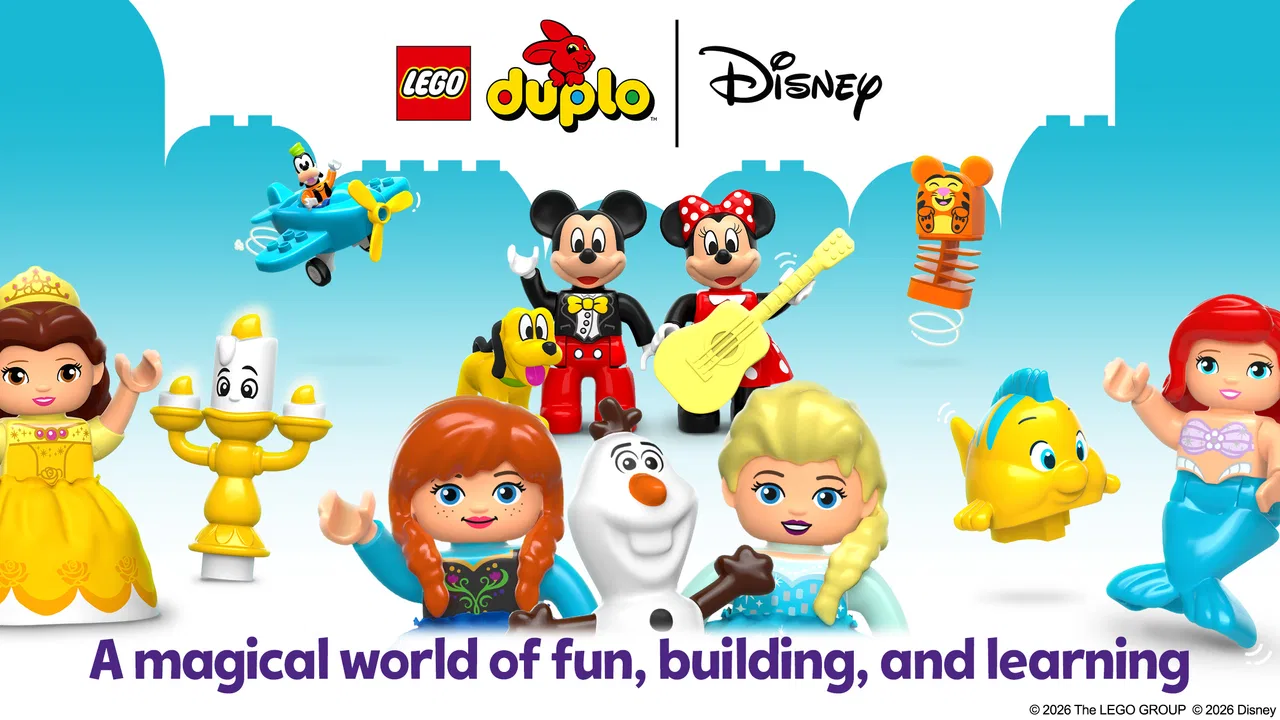
The app features a variety of interactive scenes and activities inspired by beloved Disney stories. Children can join characters like Mickey Mouse and Elsa in building adventures, storytelling exercises, and creative play sessions, all designed to stimulate imagination and learning.
04Does LEGO® DUPLO® Disney require an internet connection?
An internet connection is required for downloading the app and accessing some content updates. However, once the app is installed, many activities can be enjoyed offline, allowing children to play and learn without continuous internet access.
05Is LEGO® DUPLO® Disney safe for children to use?
Yes, LEGO® DUPLO® Disney is designed with children's safety in mind. It features an ad-free environment and parental controls to manage in-app purchases. The app also complies with privacy policies to ensure a secure and age-appropriate experience for young users.
Pros
- Engaging for toddlers with vibrant graphics.
- Includes beloved Disney characters.
- Simple interface for easy navigation.
- Encourages creativity and problem-solving.
- Frequent updates with new content.
Cons
- Requires internet for some features.
- Limited free content
- encourages in-app purchases.
- Might not challenge older children.
- Some users report occasional bugs.
- Large app size may take up storage.

LEGO® DUPLO® Disney
Gallery